Guide 2 of 5
Create groups & understand the structure
Groups bucket tasks inside a space. The hierarchy is simple: Space → Group → Task.
1The structure: Space → Group → Task
Doku has just three levels, so there's very little to learn:
- Space — the container (a team, a client, a project area).
- Group — a bucket of related tasks inside the space (for example “Backend”, “Q3 Launch”, or “Bugs”).
- Task — a single item of work that belongs to a group (or sits ungrouped).
On the task list, every group is a collapsible section and its tasks are listed underneath it. Tasks that don't belong to any group show up under a standalone section.
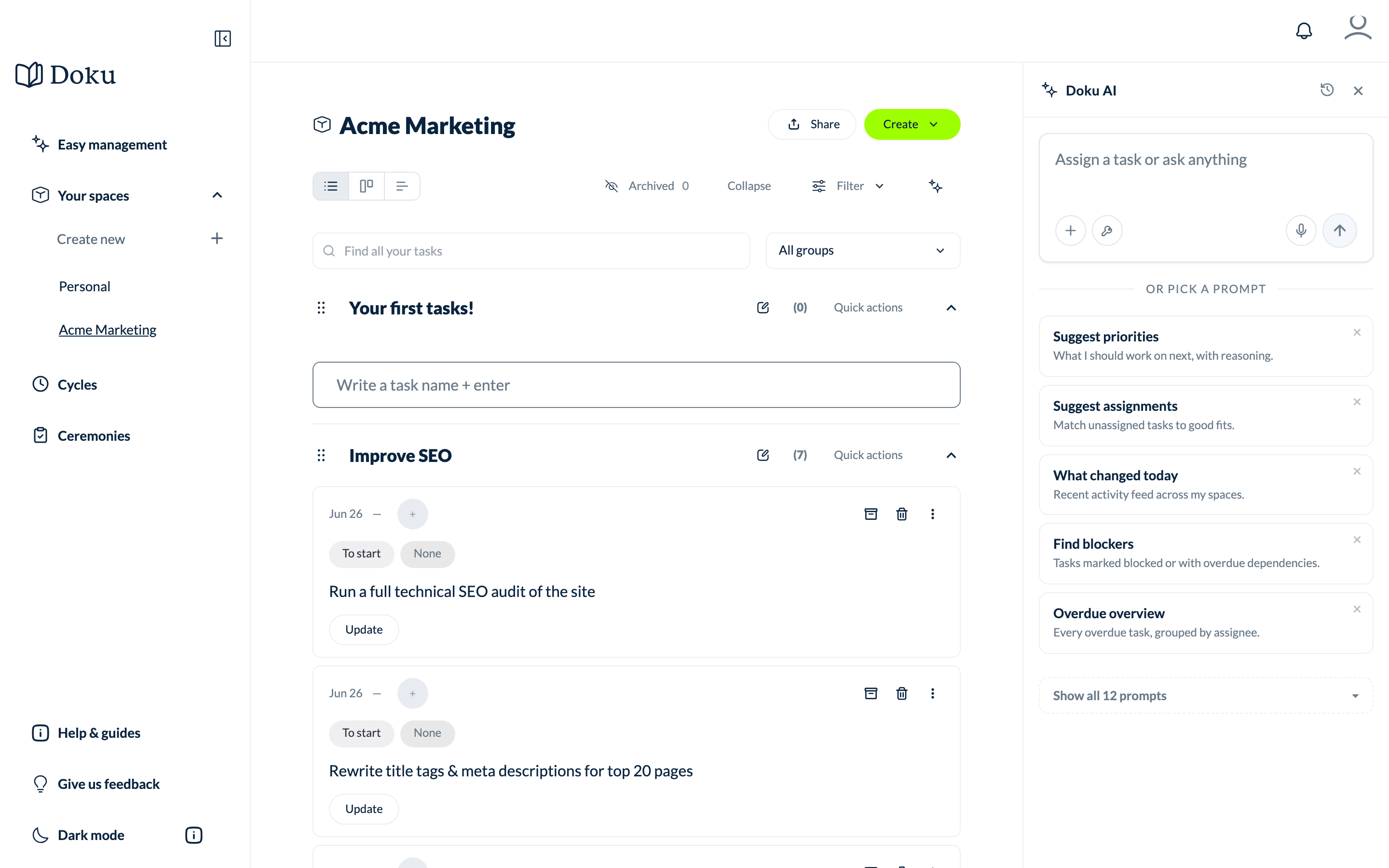
2Create a group
From the task list, add a new group and give it a name. New tasks can then be created directly inside it, and you can drag tasks between groups at any time.

You can rename or delete a group later from the group's menu, and reorder groups by dragging them. Deleting a group does not delete its tasks — they fall back to ungrouped.
Open the task list